Odin + Raylib Examples
A growing gallery of experiments, demos, and engine‑building notes.
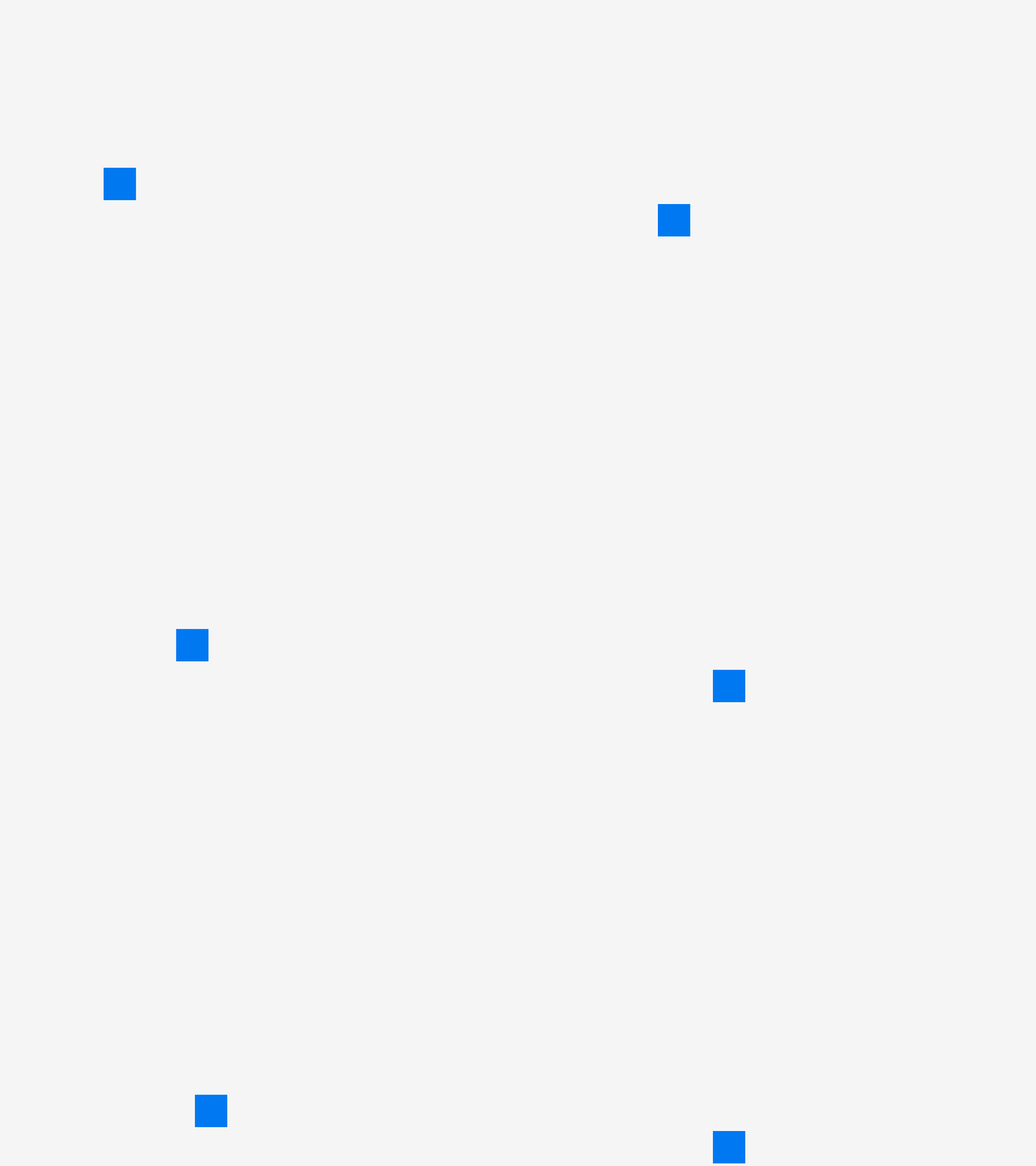
package main
import rl "vendor:raylib"

xpos: i32 = 0 // this is your bucket of nails!
ypos: i32 = 100
rw  : i32 = 50
rh  : i32 = 50

main :: proc() {
    rl.InitWindow(800, 600, "TITLE")

	rl.SetTargetFPS(60)

    for !rl.WindowShouldClose() {
        rl.BeginDrawing()
        rl.ClearBackground(rl.RAYWHITE)

        xpos += 1 // this is your hammer!
        rl.DrawRectangle(xpos, ypos, rw, rh, rl.BLUE) // this is your handcrafted furniture!

		if xpos >= 300 {
			xpos = 300
		}
		ypos += 1
        rl.EndDrawing()
    }

    rl.CloseWindow()
}
// any questions?


// before you do anything with raylib ask yourself can a variable and a procedure solve
//the problem. Do not reach for a struct or an array or use a loop. You are already working
//inside of a loop. You will just hurt yourself nesting loops, trust me, I learned the hard way.
//Everything you need is already there. All you are doing is transforming variables.
//All of it, its all you should be doing. You will know when it's time to reach for mememory,
//or an array, or a struct because procs, variables, and if/else can't easily solve the problem.
//With 2d games you will be hard pressed to ever ever ever need to break that model.

//Friends don't let friends do ECS or OOP, ok? I wan't you to succeed.
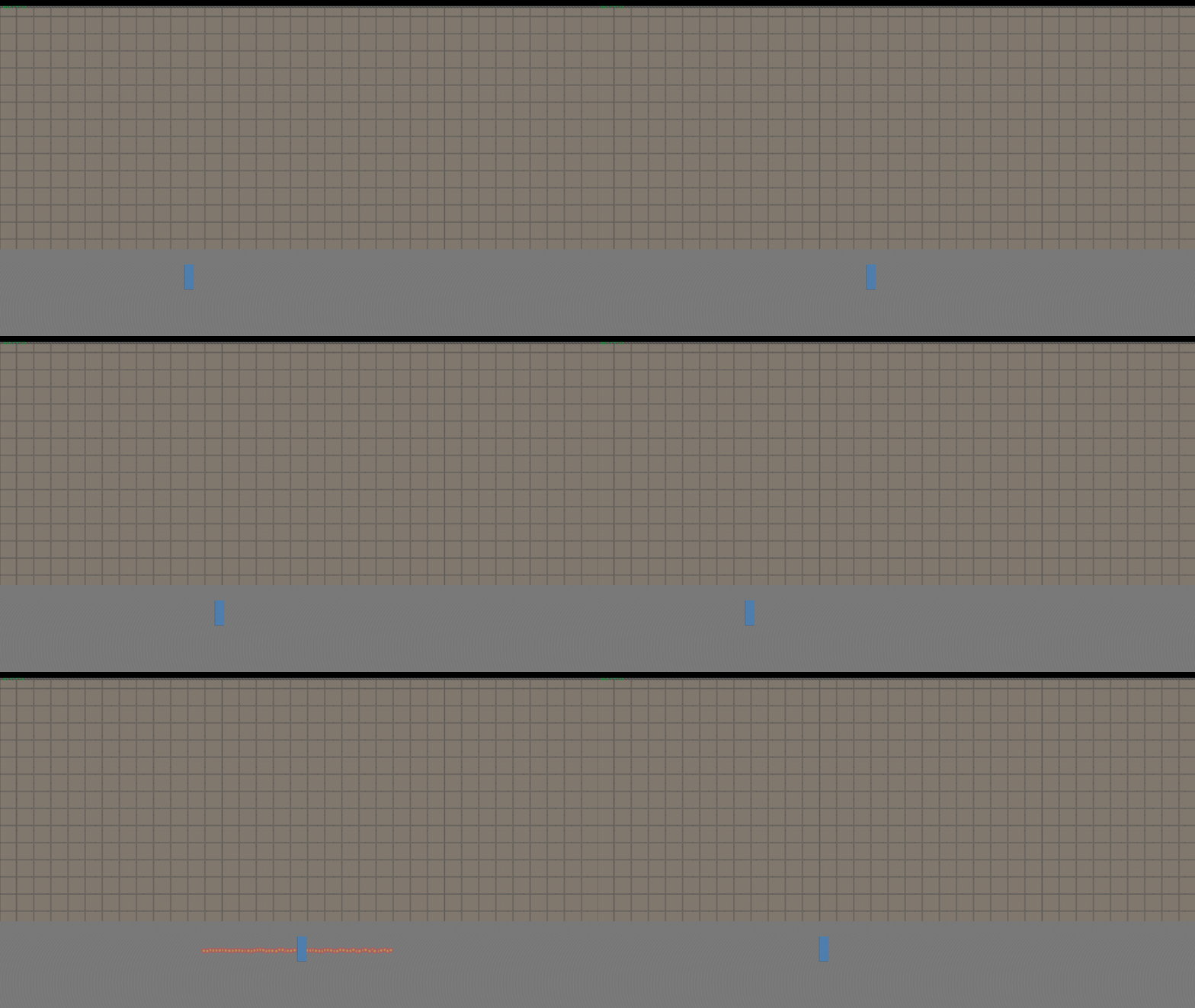
package main

import "core:math/linalg/glsl" // equivalent for clamp/math utilities if needed, but we can write a quick custom clamp
import rl "vendor:raylib"

main :: proc() {
    screen_width  :: 1920
    screen_height :: 1080

    rl.InitWindow(screen_width, screen_height, "Chicken Slayer")
    rl.SetTargetFPS(60)

    spam_rect1 :: proc() {
        x_start : f32 = 1.0
        y_start : f32 = 1.0
        rows    := 20
        cols    := 200
        offset  : f32 = 51.0
        for r in 0..<rows {
            for c in 0..<cols {
                rl.DrawRectangle(i32(x_start + (f32(c) * offset)), i32(y_start + (f32(r) * offset)), 50, 50, rl.DARKBROWN)
            }
        }
    }

    spam_rect2 :: proc() {
        x_start : f32 = 1.0
        y_start : f32 = 1.0
        rows    := 20
        cols    := 200
        offset  : f32 = 55.0
        for r in 0..<rows {
            for c in 0..<cols {
                rl.DrawRectangle(i32(x_start + (f32(c) * offset)), i32(y_start + (f32(r) * offset)), 50, 50, rl.BROWN)
            }
        }
    }

    spam_circ :: proc() {
        x_start : f32 = 1.0
        y_start : f32 = 1.0
        rows    := 1
        cols    := 250
        offset  : f32 = 10.0
        for r in 0..<rows {
            for c in 0..<cols {
                cx := i32(x_start + (f32(c) * offset))
                cy := i32(y_start + (f32(r) * offset))

                rl.DrawCircle(cx, cy, 10, rl.BROWN)
                rl.DrawCircle(cx + 1, cy, 10, rl.BLACK)

                rl.DrawCircle(cx, cy + 15, 10, rl.BROWN)
                rl.DrawCircle(cx + 1, cy + 15, 10, rl.BLACK)

                rl.DrawCircle(cx, cy + 1000, 200, rl.GRAY)
                rl.DrawCircle(cx + 1, cy + 1000, 200, rl.Fade(rl.DARKGRAY, 0.5))
            }
        }
    }

    px := 100.0
    py := 950.0

    for !rl.WindowShouldClose() {

        dt    := rl.GetFrameTime()
        speed := 400.0

        if rl.IsKeyDown(.LEFT)  do px -= speed * f64(dt)
        if rl.IsKeyDown(.RIGHT) do px += speed * f64(dt)

        // Match the std::clamp behavior exactly
        px = clamp(px, 1.0, f64(screen_width) - 30.0)

        rl.BeginDrawing()
            rl.ClearBackground(rl.BLACK)

            spam_rect1()
            spam_rect2()
            spam_circ()

            // Nested procedure acting as the C++ lambda capturing px and py
            shoot_laser :: proc(px, py: f64, direction: f32) {
                x_start := f32(px) + (10.0 * direction)
                y_start := f32(py) - 55.0
                rows    := 1
                cols    := 30
                offset  := 10.0 * direction

                for r in 0..<rows {
                    for c in 0..<cols {
                        jitter_x := rl.GetRandomValue(-2, 2)
                        jitter_y := rl.GetRandomValue(-2, 2)

                        cx := i32(x_start + (f32(c) * offset)) + jitter_x
                        cy := i32(y_start + (f32(r) * offset)) + jitter_y

                        rl.DrawCircle(cx, cy, 8, rl.RED)
                        rl.DrawCircle(cx, cy, 4, rl.ORANGE)
                    }
                }
            }

            if rl.IsKeyDown(.D) do shoot_laser(px, py, 1.0)
            if rl.IsKeyDown(.A) do shoot_laser(px, py, -1.0)

            rl.DrawRectangle(i32(px) - 1, i32(py) - 99, 30, 80, rl.BLACK)
            rl.DrawRectangle(i32(px),     i32(py) - 100, 30, 80, rl.BLUE)

            rl.DrawRectangle(0, 0, 2000, 2000, rl.Fade(rl.GRAY, 0.6))
            rl.DrawFPS(10, 10)
        rl.EndDrawing()
    }

    rl.CloseWindow()
}
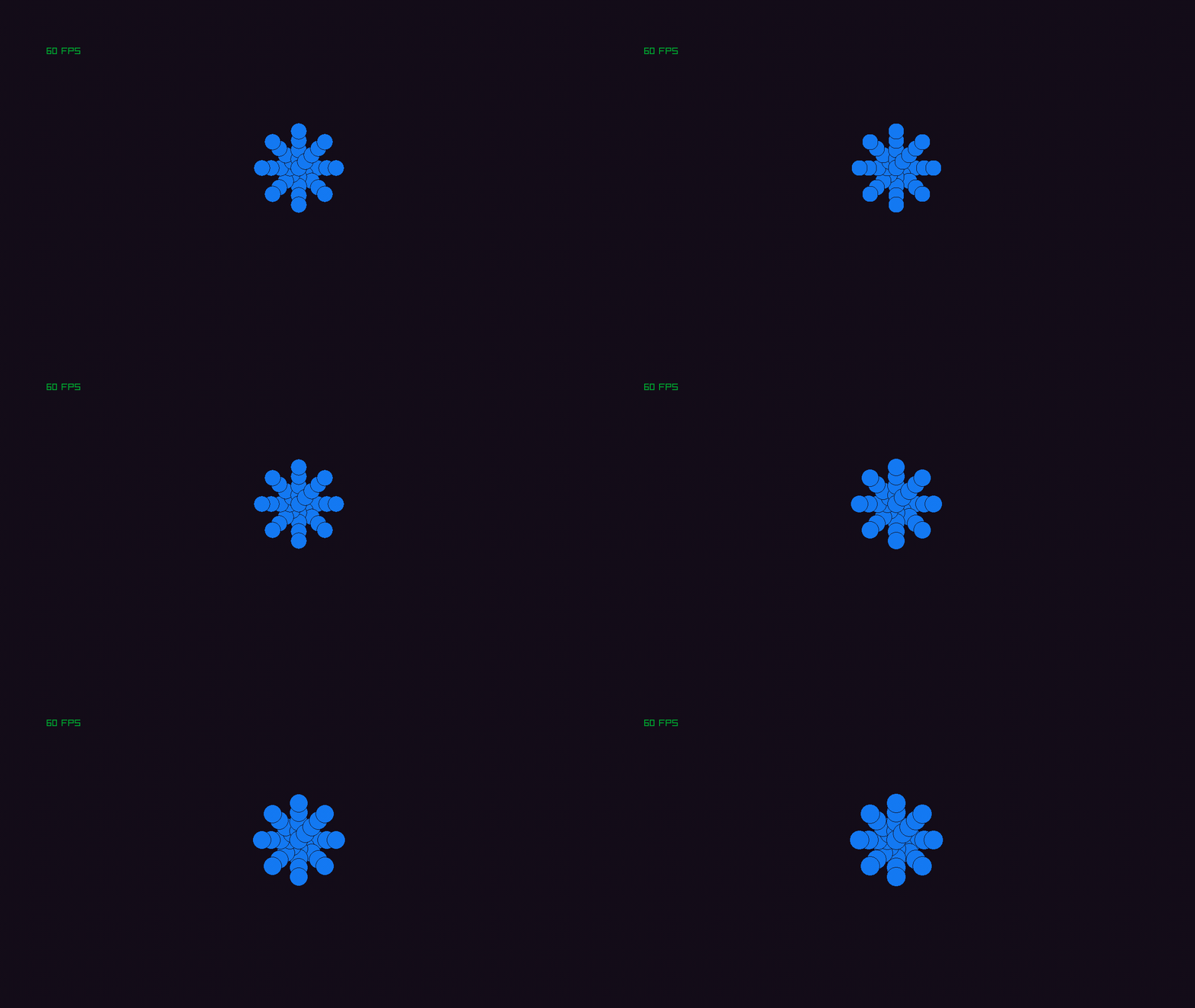
package main
import math "core:math"

import rl "vendor:raylib"

sw        :: 1280
sh        :: 720
title     :: "Project Dreadwitch"
origin_x  :: sw/2
origin_y  :: sh/2
rad       :: 0.0
pi        :: 3.14
origin_t  :: 0.0

t : f32 = origin_t


petal :: proc(angle: f32) {
    for i := 0; i < 5; i += 1 {
        dist := f32(i) * 20.0

        // breathing radius
        r := 20.0 + math.sin(t) * 3.0

        x := origin_x + cast(i32)(math.cos(angle) * dist)
        y := origin_y + cast(i32)(math.sin(angle) * dist)

        rl.DrawCircle(x, y, r, rl.BLUE)
        rl.DrawCircleLines(x, y, r, rl.BLACK)
    }
}


main :: proc() {

    rl.SetTargetFPS(60)
    rl.InitWindow(sw, sh, title)


    for !rl.WindowShouldClose() {

        t += 0.05

        rl.BeginDrawing()
        rl.ClearBackground(rl.BLACK)


        for k := 0; k < 8; k += 1 {
            angle := f32(k) * pi / 4.0   // 8 petals, 45° apart
            petal(angle)
        }

        rl.DrawRectangle(0, 0, sw, sh, rl.Fade(rl.PURPLE, 0.1))
        rl.DrawFPS(100, 100)


        rl.EndDrawing()


    }
    rl.CloseWindow()
}
// press "one" to experience take damage screen effect

package main
import math "core:math"

import rl "vendor:raylib"

sw        :: 1280
sh        :: 720
title     :: "Project Dreadwitch"
origin_x  :: sw/2
origin_y  :: sh/2

blue      :: rl.BLUE
red       :: rl.RED
green     :: rl.GREEN
purple    :: rl.PURPLE
yellow    :: rl.YELLOW


color_array := [5]rl.Color{
    blue,
    red,
    green,
    purple,
    yellow,
}

damage_timer : f32 = 0

take_damage :: proc(amount: int = 1) {
    damage_timer = 0.5 // half-second flash
}


main :: proc() {

	rl.SetTargetFPS(60)
	rl.InitWindow(sw, sh, title)

	counter : int = 0

	for !rl.WindowShouldClose() {


		rl.BeginDrawing()
		rl.ClearBackground(rl.BLACK)


		if damage_timer > 0 {
		    damage_timer -= rl.GetFrameTime()

		    idx := cast(int)(rl.GetTime() * 10) % len(color_array)

		    alpha := damage_timer / 0.5 // fade out
		    rl.DrawRectangle(0, 0, sw, sh, rl.Fade(color_array[idx], 0.2))
		}

		if rl.IsKeyReleased(.ONE) {
					take_damage()
				}


		rl.DrawFPS(100, 100)


		rl.EndDrawing()


	}
	rl.CloseWindow()
}
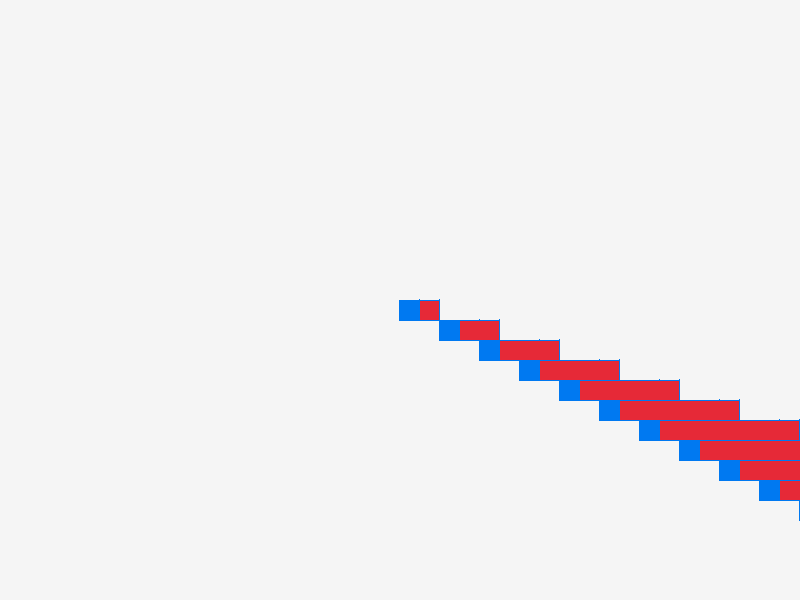
package main
import rl "vendor:raylib"

sw:i32 = 800
sh:i32 = 600


draw_square :: proc() {
    x: i32 = sw/2
    y: i32 = sh/2
    w: i32 = 0
    h: i32 = 0
    offset: i32 = 20
    for i := 0; i < 20; i +=1 {
        rl.DrawRectangle(x, y, w+offset, h+offset, rl.BLUE)
        rl.DrawRectangleLines(x, y, w+offset, h+offset, rl.BLUE)
        x += offset
        rl.DrawRectangle(x, y, w+offset, h+offset, rl.RED)
        rl.DrawRectangleLines(x, y, w+offset, h+offset, rl.BLUE)
        y += offset
        x += offset
        w += offset
    }
}


main :: proc() {

rl.InitWindow(sw, sh, "Project Dreadwitch")


for !rl.WindowShouldClose(){


    rl.BeginDrawing()

    rl.ClearBackground(rl.RAYWHITE)
    draw_square()

    rl.EndDrawing()

    if rl.IsKeyPressed(.ONE){
    rl.TakeScreenshot("stairs_example.png")
}
}
    rl.CloseWindow()

}
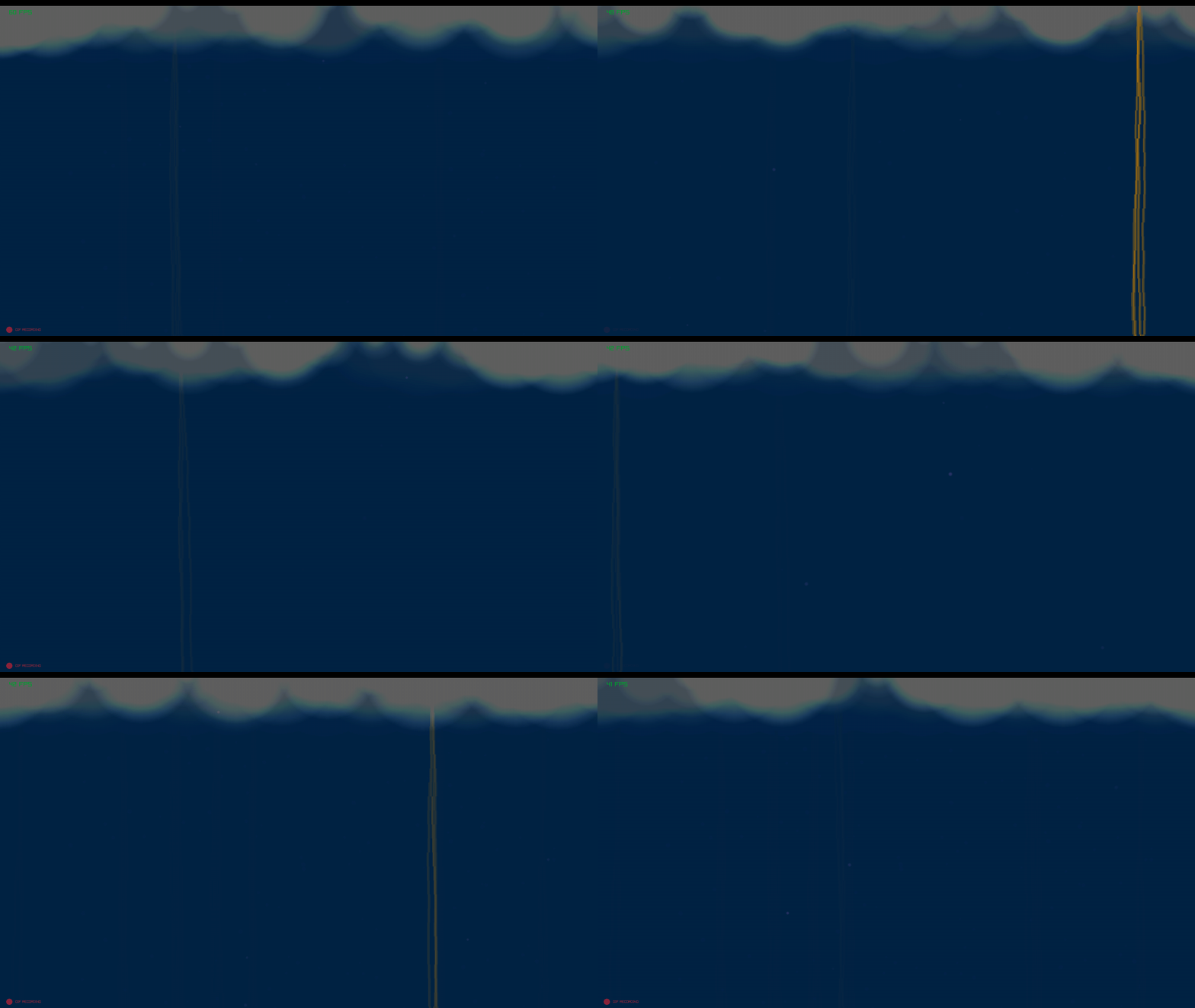
package main
import rl "vendor:raylib"
import "core:math"

MyRect :: struct {
    id:    string,
    rect:  rl.Rectangle,
    color: rl.Color,
}

Player :: struct {
    body:        rl.Rectangle,
    color:       rl.Color,
    view_radius: f32,
}

//player_controller :: proc(p: ^Player, sw, sh: f32) {
//    dt := rl.GetFrameTime()
//    speed : f32 = 250.0

//    if rl.IsKeyDown(.A) { p.body.x -= speed * dt }
//    if rl.IsKeyDown(.D) { p.body.x += speed * dt }
//    if rl.IsKeyDown(.W) { p.body.y -= speed * dt }
//    if rl.IsKeyDown(.S) { p.body.y += speed * dt }

//    p.body.x = math.clamp(p.body.x, 0, sw - p.body.width)
//    p.body.y = math.clamp(p.body.y, 0, sh - p.body.height)
//}

draw_bolt :: proc(x_pos: f32, life: f32) {
    if life <= 0 do return

        segment_height : f32 = 40.0
        current_y : f32 = -50.0
        current_x := x_pos

        // Loop until we are past the bottom of the screen
        for current_y < 1080 {
            // Horizontal jitter for THIS specific segment
            // This creates the "jagged" look
            jitter := f32(rl.GetRandomValue(-1, 1))
            current_x += jitter
            // Layer the rectangles for "pulpiness"
            for i in 0..<3 {
                current_color := rl.Fade(rl.ORANGE, life * 0.85)

                rect := rl.Rectangle{
                    current_x + jitter,
                    current_y,
                    2.0 + f32(i * 3),
                    segment_height + 5.0, // Slight overlap to prevent gaps
                }
                rl.DrawRectangleRec(rect, current_color)
            }

            // Move down for the next segment
            current_y += segment_height + 5
            // Optional: uncomment the next line to make the bolt "drift" as it goes down
            current_x += jitter
            current_x += jitter
        }
}

main :: proc() {
    //rl.SetTargetFPS(60)
    sw, sh: i32 = 1920, 1080
    rl.InitWindow(sw, sh, "Odin - Circular Vision")
    defer rl.CloseWindow()
    atmosphere := MyRect{
        id    = "Atmosphere",
        rect  = { 0, 0, f32(sw), f32(sh) },
        color = rl.Fade(rl.BLUE, 0.1),
    }

    player := Player{
        body        = { f32(sw) * 0.5, f32(sh) * 0.5, 40, 40 },
        color       = rl.GOLD,
        view_radius = 20.0,
    }

    large_chaos_strobe :: proc(p: Player) {
        cX := p.body.x + (p.body.width / 2)
        cY := p.body.y + (p.body.height / 2)

        origin := rl.Vector2{
            cX + f32(rl.GetRandomValue(-800, 800)),
            cY + f32(rl.GetRandomValue(-800, 800)),
        }

        num_layers := rl.GetRandomValue(1, 5)

        for i: i32 = 0; i < num_layers; i += 1 {
            radius := (3) + f32(i)
            rl.DrawCircleV(origin, radius, rl.Fade(rl.PURPLE, 0.08))
        }
    }

    small_chaos_strobe :: proc(pos: rl.Vector2) {
        // Use the passed-in pos instead of hardcoding 0.0
        origin := rl.Vector2{
            pos.x + f32(rl.GetRandomValue(-10.0, 10.0)),
            pos.y + f32(rl.GetRandomValue(-10.0, 10.0)),
        }

        num_layers := rl.GetRandomValue(1, 200)

        for i: i32 = 0; i < num_layers; i += 1 {
            radius := (1.0) + f32(i)
            rl.DrawCircleV(origin, radius, rl.Fade(rl.RAYWHITE, 0.005))
        }
    }

    chaos_strip :: proc() {
        cX: f32 = 0.0
        for i := 0; i < 20; i += 1 {
            small_chaos_strobe(rl.Vector2{cX, 0.0})
            cX += 150.0
        }
    }

    bolt_x: f32 = 0.0
    bolt_life: f32 = 0.0
    frame_counter := 0
    for !rl.WindowShouldClose() {
        //player_controller(&player, f32(sw), f32(sh))

        frame_counter += 1
        if frame_counter >= 100{
            rl.ClearBackground(rl.BLACK)
            frame_counter = 0
        }
        rl.BeginDrawing()

        dt := rl.GetFrameTime()
        if bolt_life <= 0 && rl.GetRandomValue(0, 100) > 98 {
            bolt_x = f32(rl.GetRandomValue(0, 1980))
            bolt_life = 1.0
        }
        if bolt_life > 0 {
            bolt_life -= dt * 5.0 // Adjust 3.0 to change how fast it vanishes
        }


        rl.DrawRectangleRec(atmosphere.rect, atmosphere.color)
        draw_bolt(bolt_x, bolt_life)

        large_chaos_strobe(player)
        chaos_strip()
        rl.DrawRectangleRec(atmosphere.rect, rl.Fade(rl.BLACK, 0.2))
        rl.DrawFPS(30,30)
        rl.EndDrawing()
        if rl.IsKeyPressed(.ONE){
        rl.TakeScreenshot("screenshot.png")
        }
    }
}
package main

import "core:math"
import rl "vendor:raylib"

GeoObject :: struct {
    mesh:      rl.Mesh,
    model:     rl.Model,
    position:  rl.Vector3,
    intensity: f32,
    size:      rl.Vector2,
}

CreateRidge :: proc(pos: rl.Vector3, size: rl.Vector2, peakHeight: f32, resolution: i32) -> GeoObject {
    obj: GeoObject
    obj.position = pos
    obj.intensity = peakHeight
    obj.size = size

    vCount := (resolution + 1) * (resolution + 1)
    tCount := resolution * resolution * 2

    mesh: rl.Mesh
    mesh.vertexCount = vCount
    mesh.triangleCount = tCount

    mesh.vertices = cast([^]f32)rl.MemAlloc(cast(u32)(vCount * 3 * size_of(f32)))
    mesh.indices = cast([^]u16)rl.MemAlloc(cast(u32)(tCount * 3 * size_of(u16)))

    spacingX := size.x / cast(f32)resolution
    spacingZ := size.y / cast(f32)resolution

    radiusX := size.x / 2.0
    radiusZ := size.y / 2.0

    for z in 0..=resolution {
        for x in 0..=resolution {
            i := z * (resolution + 1) + x

            localX := (cast(f32)x * spacingX) - radiusX
            localZ := (cast(f32)z * spacingZ) - radiusZ

            normX := localX / radiusX
            normZ := localZ / radiusZ
            normalizedDist := math.sqrt(normX * normX + normZ * normZ)

            targetY := -pos.y

            if normalizedDist < 1.0 {
                targetY = peakHeight * (0.5 * (1.0 + math.cos(normalizedDist * math.PI)))
            }

            mesh.vertices[i * 3 + 0] = localX
            mesh.vertices[i * 3 + 1] = targetY
            mesh.vertices[i * 3 + 2] = localZ
        }
    }

    k: i32 = 0
    for z in 0..<resolution { // you will have to change the "<"" to "<"
        for x in 0..<resolution {
            tl := z * (resolution + 1) + x
            tr := tl + 1
            bl := (z + 1) * (resolution + 1) + x
            br := bl + 1

            mesh.indices[k] = cast(u16)tl; k += 1
            mesh.indices[k] = cast(u16)bl; k += 1
            mesh.indices[k] = cast(u16)tr; k += 1
            mesh.indices[k] = cast(u16)tr; k += 1
            mesh.indices[k] = cast(u16)bl; k += 1
            mesh.indices[k] = cast(u16)br; k += 1
        }
    }

    rl.UploadMesh(&mesh, false)
    obj.mesh = mesh
    obj.model = rl.LoadModelFromMesh(mesh)

    return obj
}

UnloadGeoObject :: proc(obj: ^GeoObject) {
    rl.UnloadModel(obj.model)
}

main :: proc() {
    rl.InitWindow(1080, 768, "Anisotropic PGA Meshes")
    defer rl.CloseWindow()

    camera := rl.Camera3D {
        position   = { 25.0, 20.0, 25.0 },
        target     = { 0.0, 0.0, 0.0 },
        up         = { 0.0, 1.0, 0.0 },
        fovy       = 45.0,
        projection = .PERSPECTIVE,
    }

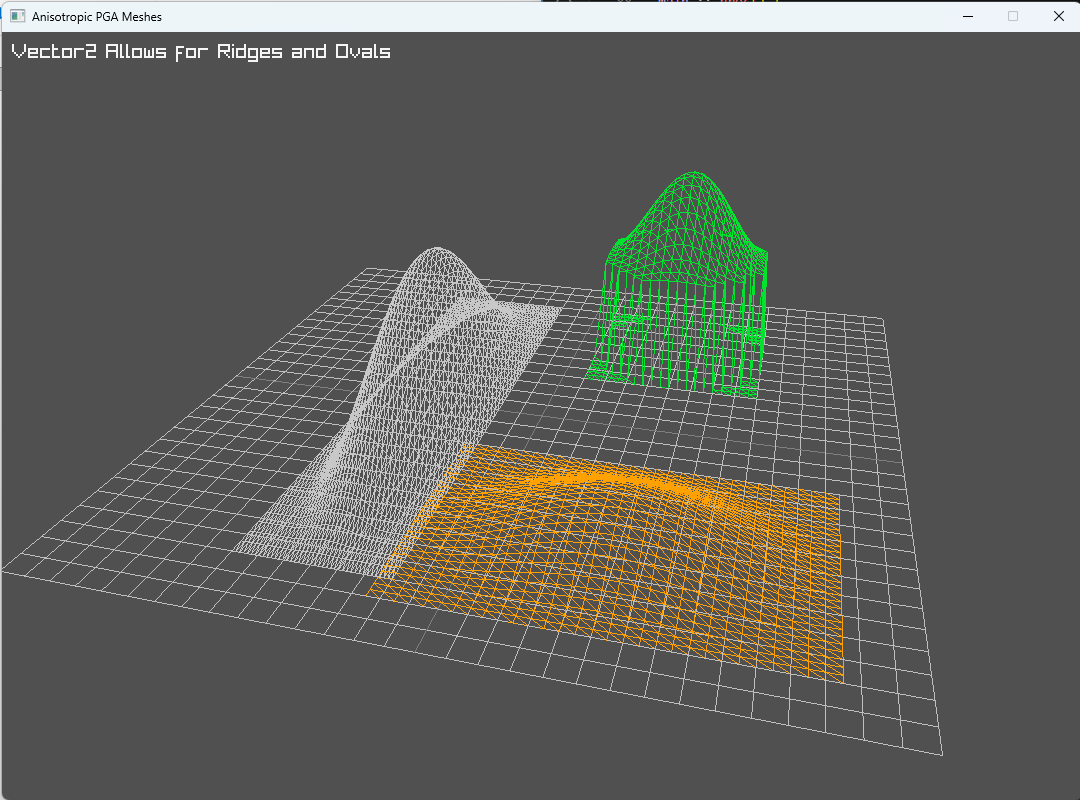
    ridge := CreateRidge({0.0, 0.0, -5.0}, {24.0, 6.0}, 7.0, 40)
    defer UnloadGeoObject(&ridge)

    hill := CreateRidge({8.0, 5.0, 5.0}, {8.0, 8.0}, 4.0, 20)
    defer UnloadGeoObject(&hill)

    mound := CreateRidge({-8.0, 0.0, 5.0}, {10.0, 15.0}, 2.0, 30)
    defer UnloadGeoObject(&mound)

    rl.SetTargetFPS(60)

    for !rl.WindowShouldClose() {
        rl.UpdateCamera(&camera, .ORBITAL)

        rl.BeginDrawing()
        rl.ClearBackground(rl.DARKGRAY)

        rl.BeginMode3D(camera)
        rl.DrawGrid(30, 1.0)
        rl.DrawModelWires(ridge.model, ridge.position, 1.0, rl.LIGHTGRAY)
        rl.DrawModelWires(hill.model, hill.position, 1.0, rl.GREEN)
        rl.DrawModelWires(mound.model, mound.position, 1.0, rl.ORANGE)
        rl.EndMode3D()

        rl.DrawText("Vector2 Allows for Ridges and Ovals", 10, 10, 20, rl.RAYWHITE)
        rl.EndDrawing()
    }
}